algomon.app
Pick your profile to view your algorithm data.
Loading...
A Chrome extension that tracks every video YouTube recommends you. Word clouds, recommendation graphs, watch analytics — your algorithm made visible.
Grab the latest build and unzip it anywhere. algomon-extension.zip — always the newest release, rebuilt automatically on every update.
Open chrome://extensions, switch on Developer mode (top right), click Load unpacked, and pick the folder you just unzipped. The Algomon icon appears in your toolbar.
Click the Algomon icon and enter a username plus your API key. That's the whole setup — the extension now records quietly while you browse.
Use YouTube like you always do. When you're curious, open the dashboard — word clouds, recommendation graphs, watch stats, and your click-through habits, all live.
Tools to track and understand the invisible forces shaping your YouTube content diet.
Captures every video YouTube recommends — home feed, sidebar, and Shorts — building a complete picture over time.
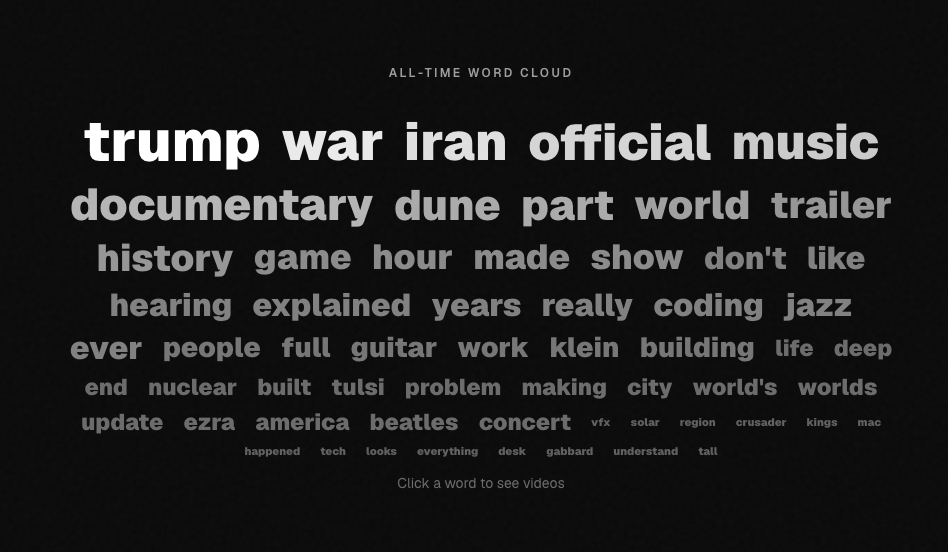
See which words dominate your recommendations. Track trending topics and spot shifts in what YouTube thinks you want.
Visualize how videos connect. See which videos lead to which, and where your rabbit holes begin.
Spotify Wrapped-style breakdowns of your YouTube diet — daily snapshots, most-seen channels, top recurring videos.
See which videos you actually click, from where (home vs sidebar), and at what position in the feed.
Discover which channels YouTube pushes hardest. See frequency distributions and how your channel mix evolves.